OYAremoteby tomi online managers Get early bird price

Canva + Canva AI · Early bird · Launches Monday 25 January 2027

Canva, beginner to pro.design that looks like you

Learn Canva properly, including its AI tools, and make designs that look like your business, not like everyone else's AI flyer: social posts, Reels, presentations, proposals, documents, CVs and more.

Early bird price

₦25,000₦15,000

Early bird ends when the course opens, on Monday 25 January 2027:

Pay the early bird price now and lock it in. You get full access on launch day, and after that the price goes up to ₦25,000.

Lock in ₦15,000 What you can use Canva for
Canva + Canva AI4 modules25 short videos · about 4 hoursReplay any timePractice briefs and templatesFree starter templatesEarly bird ₦15,000 until launch

Everyone's flyer looks the same.

Okay, so AI can give you a flyer in ten seconds, and that's amazing, but here's the problem: it can give everyone else the same flyer in ten seconds too. Same glossy food, same neon, same fonts, same "SALE! LIMITED!" layout, so your business ends up looking exactly like the one next door, and people scroll straight past.
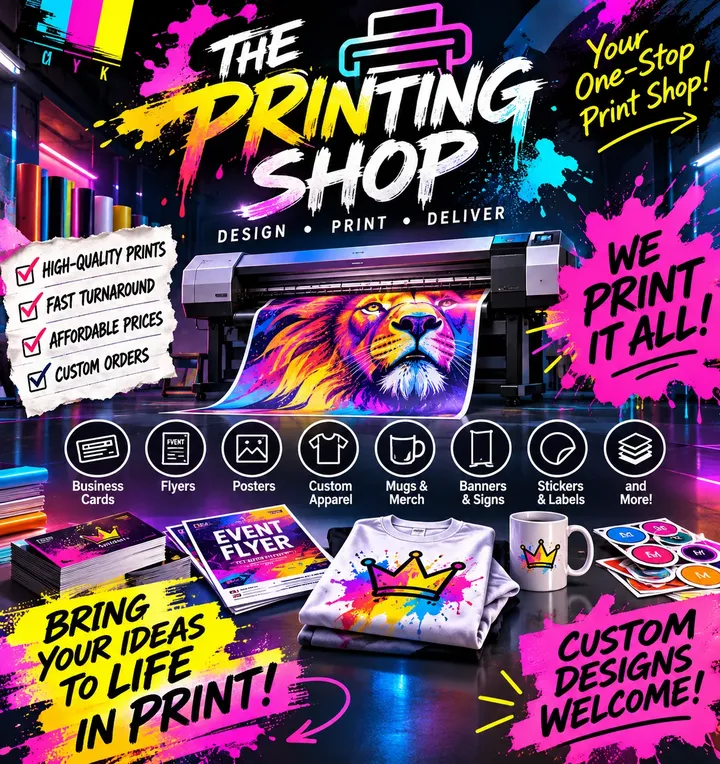
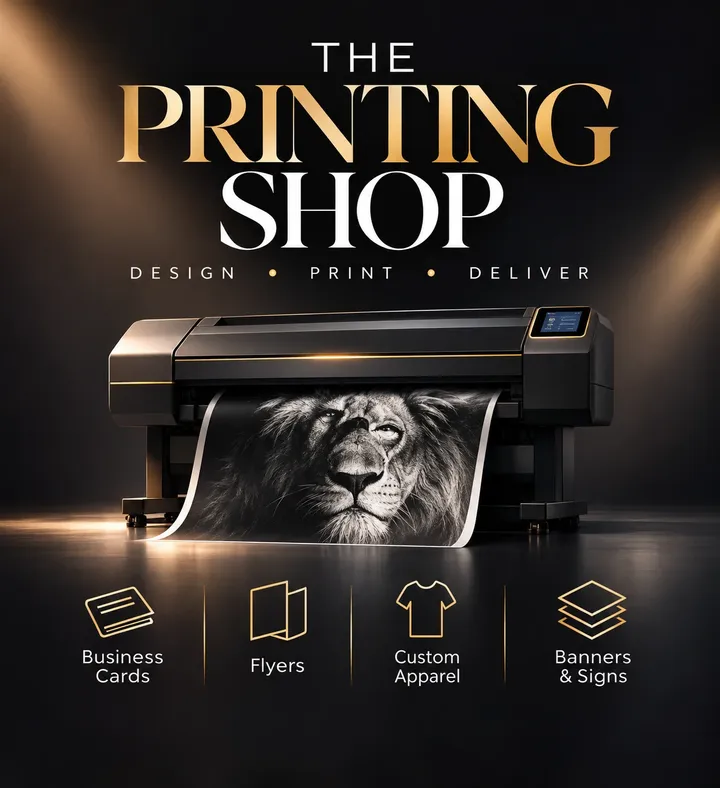
Printing shop flyer made by an AI chat toolStraight from AI
The same printing shop flyer remade in Canva: black and gold, one clear headline, four services spelt correctlySame flyer, made in Canva
A printing shop · AI wrote “C Y K” for CMYK and “FVENT” on the flyer icon
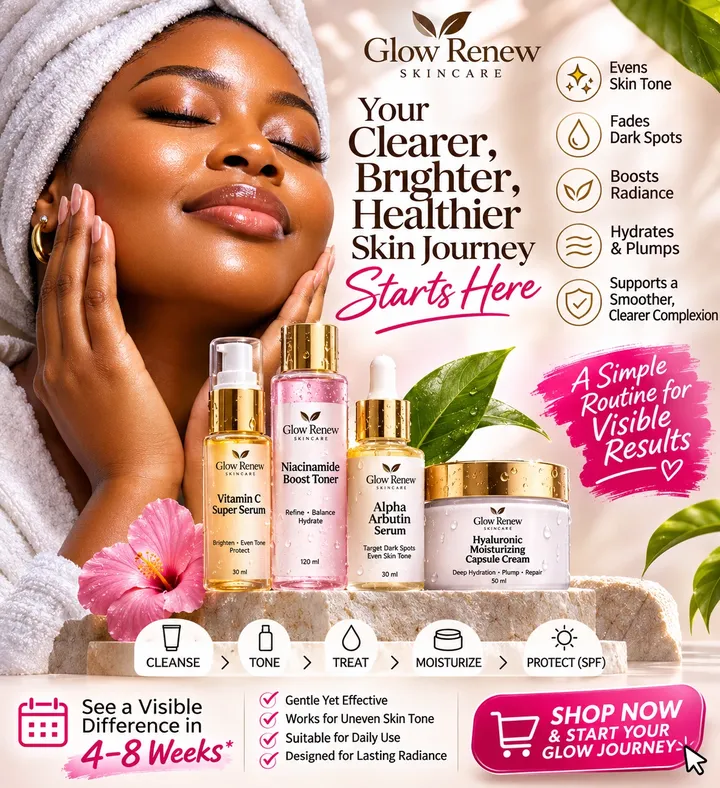
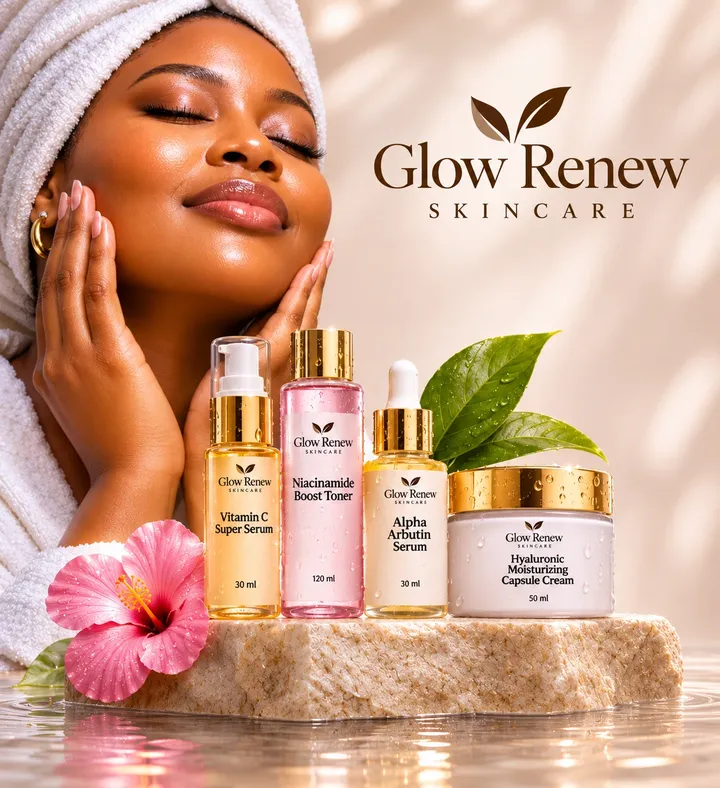
Skincare flyer made by an AI chat toolStraight from AI
The same skincare flyer remade in Canva: just the photo, the products and the logo, with the clutter and the asterisk goneSame flyer, made in Canva
A skincare brand · A “4-8 weeks*” promise with an asterisk that leads nowhere
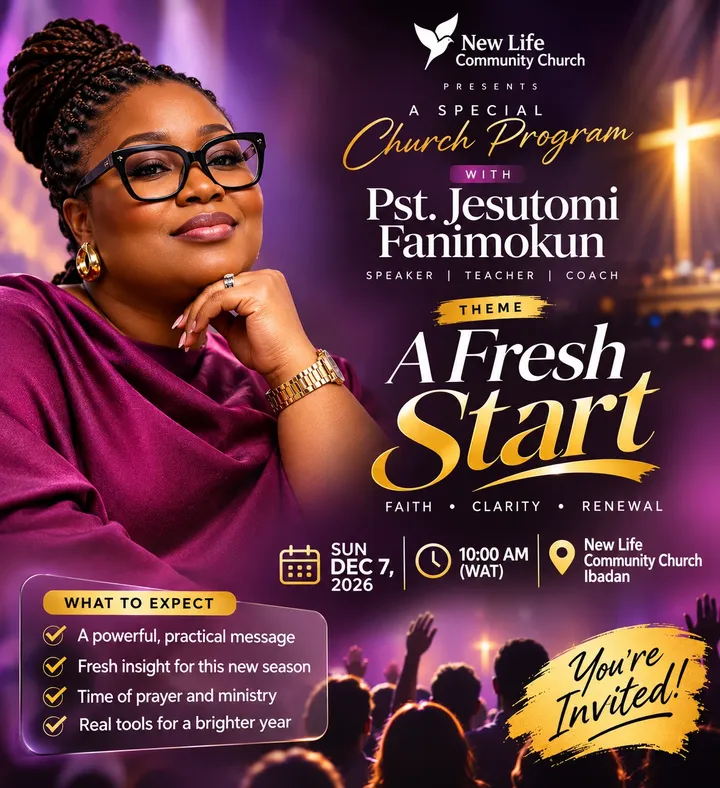
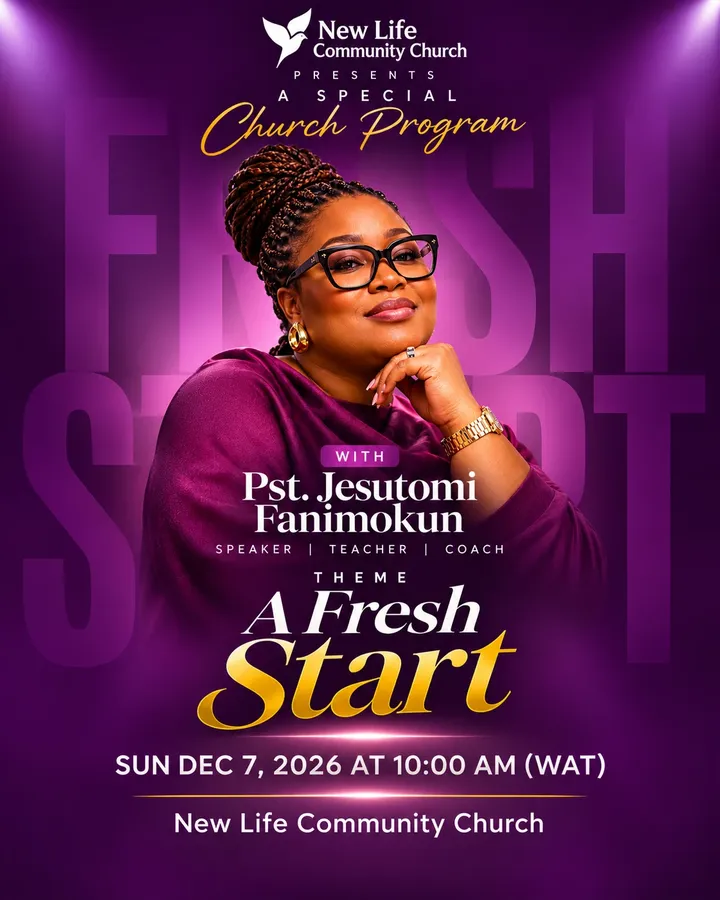
Church programme flyer made by an AI chat toolStraight from AI
The same church programme flyer remade in Canva: the theme is the hero and the details sit on one lineSame flyer, made in Canva
A church programme · Five text boxes, icons and a crowd all fighting for attention, so the theme gets lost

Examples made for this page: the left of each pair is exactly what an AI chat tool gave us, the right is the same flyer remade in Canva. The people in these flyers are AI-generated.

Just prompting AI

Looks like everyone else's. You can't fix the spelling, the price or the date without starting again. No brand colours, no consistency from one post to the next.

AI + Canva skills

Use AI for ideas, words and images, then make it yours in Canva: your colours, your fonts, your layout, edited in seconds and consistent every week.

Canva's AI, used properly.

Canva has its own AI tools built in, and most people only ever touch one of them. In this course you'll learn what each one is for, when to use it, and when to do it yourself because it's quicker.

Magic DesignTurn an idea or a photo into a full first draft in seconds.
Magic WriteCaptions, headlines and copy, written inside your design.
Magic MediaGenerate images and short videos from a description.
Background removerCut out a product or person cleanly in one click.
Magic Eraser and EditRemove or replace things in a photo without Photoshop.
Magic ExpandMake a photo fit any size by extending the background.
Magic ResizeTurn one design into every size: post, story, flyer, banner.
Magic AnimateBring a static design to life for Reels and stories.

Free or Pro? You can start the course with a free Canva account. Some AI tools need Canva Pro, and every one of those is clearly marked, so you decide later whether Pro is worth it for you.

What you can use Canva for.

Canva isn't just for flyers. It's the everyday design tool for a lot of the work small businesses and remote workers do, which is why it's worth learning properly.

Social mediaPosts, carousels, stories and highlight covers.
Reels and videoShort videos, captions, intros and edits.
PresentationsPitch decks, client reports and training slides.
ProposalsClean proposals and quotes that win work.
DocumentsCanva Docs, guides, SOPs and one-page summaries.
CVs and portfoliosA CV and a portfolio that get you noticed.
Brand kitsLogos, colours and fonts kept consistent.
Flyers and postersEvents, offers, menus and price lists.
PrintBusiness cards, banners, certificates and labels.
Ebooks and worksheetsLead magnets, workbooks and checklists.
InfographicsTurn numbers and steps into something people read.
Thumbnails and headersYouTube thumbnails, email and LinkedIn banners.
InvoicesSimple branded invoices and receipts.
WebsitesA simple one-page website or link page.
WhiteboardsPlan projects and brainstorm with a team.
InvitationsEvents, launches, weddings and programmes.

What you'll make.

Every module ends with something you've actually designed, so by the end you have real work to show, not just notes.

Module 1

A clean flyer

Laid out properly, the right size, exported the right way for print and for WhatsApp.

Module 2

Posts and a Reel

Three Instagram posts, a carousel and a short video that look professional, not "AI-default".

Modules 3 and 4

Brand kit, proposal and portfolio

A brand kit and social pack for a practice client, a proposal, your CV, a portfolio and a template pack you can sell

Make templates you can sell.

Templates are one of the simplest things to sell once you can use Canva properly. You design something once, like a set of posts for a skincare brand or a pack of quote posts, and people buy their own copy to edit with their words, colours and photos. In Module 4 you'll build a template pack properly, price it, write the listing and get it ready to sell.

Skincare and beautyProduct posts, routines, before-and-after layouts and price lists.
Quote postsQuote and tip post sets for coaches, churches and creators.
CarouselsSwipe-through posts that teach, tell a story or show a product.
Price lists and menusFor salons, food vendors, cleaners and every small business.
Events and programmesChurch programmes, birthdays, weddings and launch flyers.
Business promo packsSale posts, new arrivals, opening hours and reviews.
Story setsInstagram and WhatsApp status stories that match.
Planners and checklistsPrintable or editable planners, trackers and worksheets.

On Nigerian stores like Selar, Canva template packs are listed for roughly ₦5,500 to ₦12,000 (listings checked November 2026). What sells depends on the market and on you, so we don't promise sales.

Bonus, free

Starter templates for your own business

At the end of the course, you get a starter set of ready-made Canva templates to use straight away, for your own business or your first clients.

What you'll learn.

  1. Canva properly, from zero

    Finding your way around, choosing the right size, templates versus a blank page, fonts and colours, alignment and grids, layers, and exporting the right file every time (PNG, JPG, PDF or video).

    You'll make: a clean flyer

  2. Make it look professional, with AI

    Hierarchy, spacing and contrast, pairing fonts, choosing colours, using photos well, and how to use AI tools and Canva's own AI for ideas and drafts, then make the result look like you instead of everyone else.

    You'll make: 3 posts, a carousel and a short Reel

  3. What clients actually pay for

    Brand kits, presentations, proposals, Canva Docs, resizing one design for every platform, Canva's AI tools (Magic Design, Magic Write, Magic Media, background remover, Magic Resize), and handing work over to a client properly.

    You'll make: a brand kit, social pack and proposal for a practice client

  4. Pro speed and getting hired

    Reusable templates that save hours, Reels and short video, print jobs, delivering files professionally, your CV and portfolio in Canva, pricing small design jobs and selling templates.

    You'll make: your CV, a portfolio page and a template pack you can sell

Who's teaching.

I'm Tomi, and I run operations for small business owners in the UK, the US and Canada: their systems, their tools and the work that has to go out every week. So I teach Canva the way businesses actually use it, quickly, consistently and on brand, with AI doing the heavy lifting where it helps. Oya Remote is run by my company, Tomi Online Managers LLC.

What you'll need.

Questions people ask.

What does early bird mean?

You pay ₦15,000 now, before the course launches, and that price is locked in for you. When the course launches on Monday 25 January 2027 you get full access straight away, and the price for everyone else goes up to ₦25,000.

When do I get access?

On launch day, Monday 25 January 2027. We'll email you the moment it's open, and you can start straight away.

Can't I just use AI for my flyers?

Use it, it's great for ideas and words. But a flyer straight from an AI chat tool looks like everyone else's, and you can't easily fix a date, a price or a colour. Canva is where you make it yours, and this course shows you how to use both together.

Is this live?

No. It's self-paced: short recorded videos you can watch whenever you like and replay as often as you need, so it works around your job, your light and your data.

I've never used Canva. Is that okay?

Yes. Module 1 starts from the very beginning, including setting up your free account.

Do I need Canva Pro?

No, you can start free. Some AI tools need Pro, and they're clearly marked.

Is this the same as the virtual assistant program?

No. The virtual assistant program is six weeks live and covers much more than design. This course goes deep on Canva and its AI tools on their own.

Will this get me design clients or a job?

It gives you the skills and real work to show, and module 4 covers your CV, portfolio and pricing. Getting clients or a job still depends on you putting your work out there, so I won't promise either.

Still have a question?

Email hello@oyaremote.com and we'll get back to you.

Lock in the early bird price.

₦15,000 now, ₦25,000 after the course launches on Monday 25 January 2027. Pay today, and you get full access on launch day: four modules, 25 short videos (about 4 hours in all), practice briefs and templates, including Canva's AI tools, plus free starter templates for your own business.

Early bird · ₦15,000Lock it in